
Curious about How do webhook triggers work in workflow automation? You’re not alone. If you’ve ever wondered how Stripe tells your app a payment went through, or how Shopify nudges Zapier when a new order arrives, webhooks are the secret handshake behind the scenes. This short, friendly explainer will demystify the process, show real-world uses, and give practical tips to keep things secure and reliable. ⚙️🔔
What is a webhook trigger?
A webhook is simply a way for one app to send a message to another automatically when something happens. A webhook trigger fires when a specific event occurs, think “new purchase,” “file uploaded,” or “user signed up.” The sending app packages event details into an HTTP request (usually a POST) and pushes it to a URL you control: the webhook endpoint. That request contains a payload, a bit of data that your workflow automation tool (Zapier, Make, IFTTT, or a custom listener) reads and uses to kick off actions.
READ MORE: Essential AI Automation Guide 2025 — Transformative Wins
How do webhook triggers work in workflow automation, under the hood

When an event happens, the source app performs an HTTP POST to the endpoint you’ve registered. The payload typically arrives as JSON and includes the event type, timestamp, and associated data. Your automation platform parses that payload, validates it, and then runs the workflow: send an email, update a CRM record, post to Slack, or any combo of steps you design. Many platforms provide a visual editor so you can map fields from the webhook payload to downstream actions without writing code.
Common components: endpoints, payloads, and signatures
- Endpoint: A public URL that accepts incoming HTTP requests. Must be available and use HTTPS in production.
- Payload: The JSON body that describes the event (order details, user info, etc.).
- Signature / secret: A cryptographic token included in headers so the receiver can verify the request actually came from the sender.
- Retries: If your endpoint responds with an error or times out, many providers retry the webhook a few times before giving up.
READ MORE: Powerful AI Video Generators: The 2025 Guide to Automated Content Creation
Real-world examples
Say a small online store in Austin uses Shopify + Zapier. When a customer completes checkout, Shopify sends a webhook to Zapier. Zapier reads the payload, creates a customer in QuickBooks, sends a Slack alert to the shipping team, and emails the buyer a receipt. All without anyone lifting a finger. Neat, right? 😎
Best practices to avoid drama
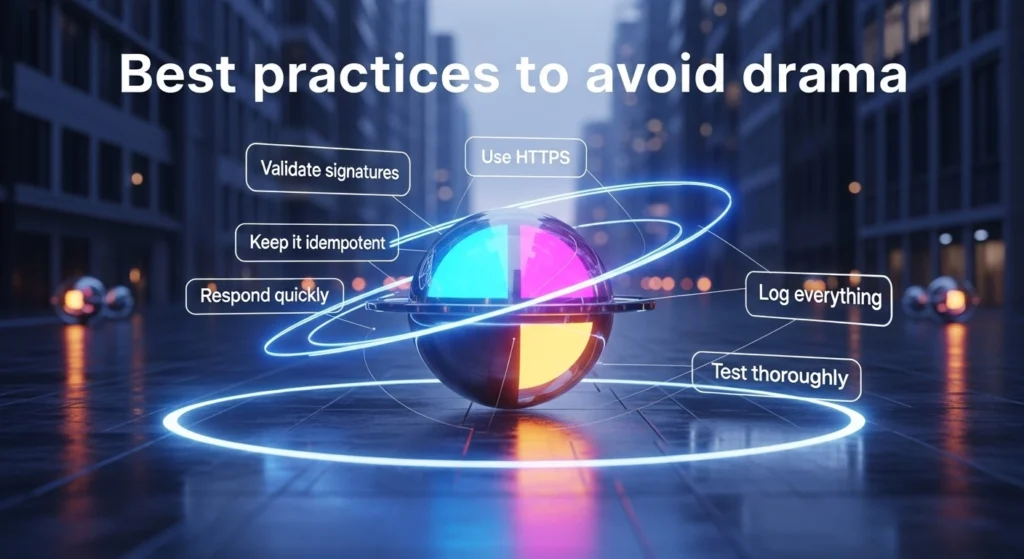
- Use HTTPS – never accept webhooks over plain HTTP.
- Validate signatures – check the header signature against your secret to prevent spoofed requests. 🔒
- Keep it idempotent – design downstream actions so retries don’t cause duplicate records (use unique order IDs).
- Respond quickly – return a 2xx status fast. If you have long processing, accept the webhook and process asynchronously.
- Log everything – keep webhook logs for debugging failures and dispute resolution.
- Test thoroughly – use sandbox or test events (Stripe, GitHub, and others provide them) before going live.
READ MORE: Apple AirPods Pro 3: Big Insider Details on the 2025 Update 🎧
When webhooks trip you up
Most issues are network related (timeouts), signature mismatches, or unexpected payload changes after API updates. Build alerts for repeated failed deliveries and keep your webhook handling code flexible to ignore unknown fields.
Final nibble of advice
Webhooks are the glue of modern, event-driven automation. Once you’ve mastered endpoints, payload parsing, and security checks, you’ll be able to stitch together apps into workflows that actually save time. Start small, trigger a Slack message from a test event, then scale up. You’ll be automating like a pro in no time. 🚀


2 thoughts on “How do webhook triggers work in workflow automation”