
You bought a smart plug, a doorbell, and a light you can dim with your voice. Then, mid-movie, the bulb goes dark and you wonder: Why do smart home devices lose connectivity so often? It’s not spooky, just a mix of crowded Wi-Fi lanes, weak signals, and skirted updates. Let’s unpack the real causes and practical fixes in plain English, with a little tech gossip thrown in.
Why do smart home devices lose connectivity? Quick reality check
Most dropouts come from three predictable sources: network congestion, physical signal problems, and software/compatibility issues. When small, low-power gadgets compete for attention on a busy router, they lose packets (tiny bits of data) and drop the connection. Add interference from household appliances and distant placement, and devices start ghosting you.
READ MORE: Apple AirPods Pro 3: Big Insider Details on the 2025 Update 🎧
The usual suspects that cause smart home devices lose connectivity

- Router overload & bandwidth limits. Older routers weren’t built for a dozen always-online devices. Streaming, gaming, and a few security cameras can hog capacity and leave battery-efficient sensors out in the cold.
- 2.4GHz vs. 5GHz drama. Many smart gadgets prefer 2.4GHz because it travels farther, but it’s also the neighborhood’s noisiest band, microwaves, baby monitors, and cheap Bluetooth gadgets crowd it. That equals interference and flaky connections.
- Physical obstacles. Walls, metal appliances, and even fish tanks chew up Wi-Fi. A smart lock in the garage or a camera behind thick brick will battle signal loss.
- Outdated firmware & apps. Devices and routers need updates. Skipping them invites bugs and compatibility headaches.
- ISP hiccups and external outages. Sometimes your home network is fine but the internet beyond your modem isn’t. If everything disconnects at once, check your ISP status before blaming the smart speaker.
READ MORE: Top Smart Home Devices for Better Sleep: 5 Simple Tech That Actually Helps😴✨
Practical fixes that actually work with smart home devices
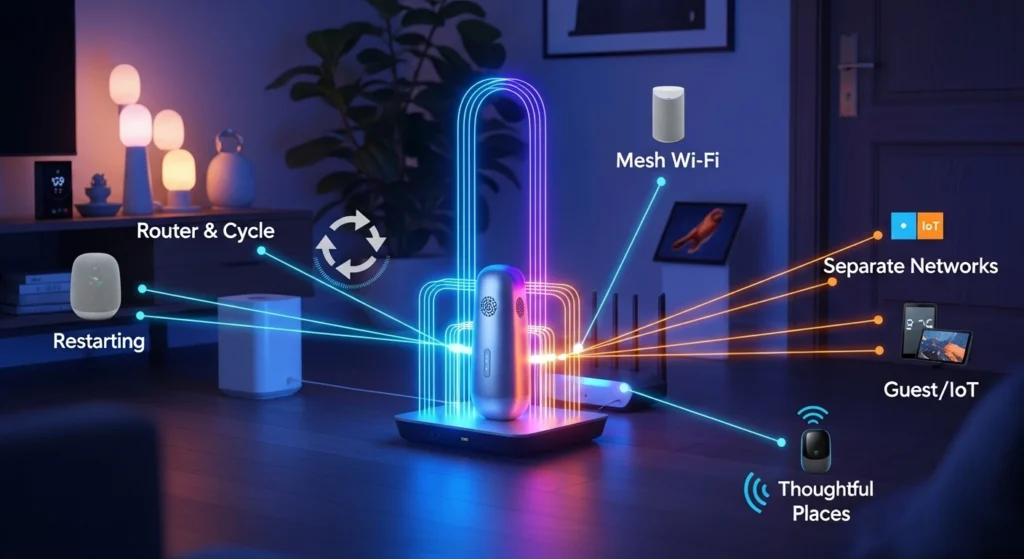
- Restart the router and the affected device. The classic power cycle is simple and surprisingly effective.
- Use a mesh Wi-Fi system for larger homes. Mesh nodes spread coverage so devices always talk to a nearby access point.
- Separate networks. Put cameras and streaming devices on one SSID and IoT gadgets on another to reduce congestion.
- Place devices thoughtfully. Move sensors away from thick walls and metal, and keep hubs central.
- Enable automatic updates. Firmware and app updates fix many falling-apart-mid-use problems.
- Prefer wired connections for hubs. Ethernet keeps central hubs stable and reduces wireless load.
Little tweaks to fix your smart home devices
Smart homes are social systems, not magic. A few strategic changes, upgrading a router, adding mesh nodes, separating networks, or simply updating firmware, can turn that temperamental setup into something reliably helpful. Think of it as giving your devices better acoustics so they can be heard.
READ MORE: 5 Illegal Gadgets to Avoid: Cool Tech That’s Actually forbidden


it is a unique-internet site
Been playing here for a week now and the payouts are legit. It is refreshing to find a platform that is this transparent. Love the vibe at br3333bet.
Solid performance and great graphics. I’ve spent a few hours here and the experience has been flawless so far. Big shoutout to bd7r7777.